
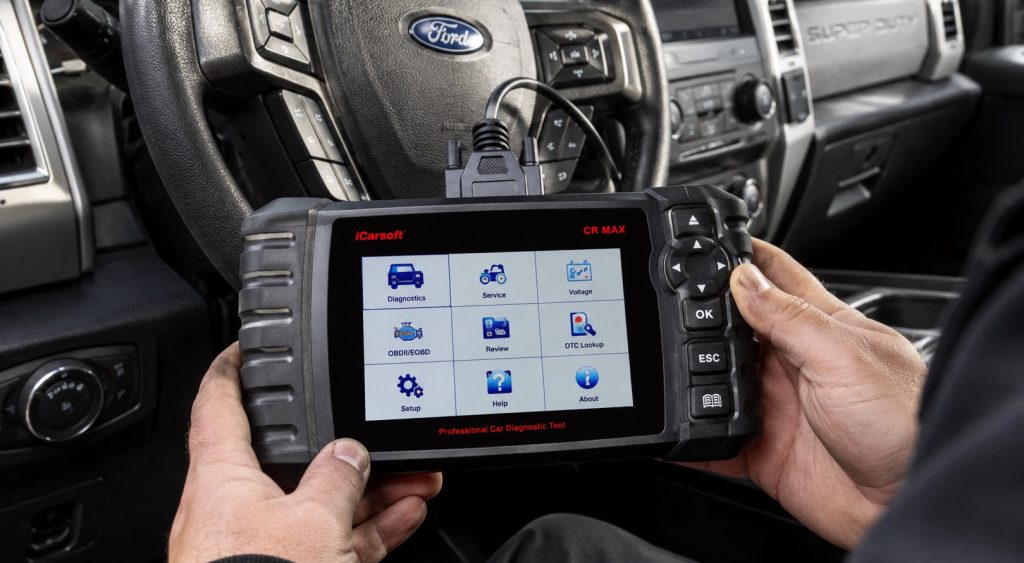
The best OBD2 scanner for a Ford 6.7 diesel depends on the exact truck and the diagnostic task. Reading generic emissions-related codes, accessing Ford-specific modules and commanding a service procedure are different capabilities. A sixteen-pin connector or an “all systems” headline does not prove all three work on every model year. This guide compares seven identifiable tools by their documented role and coverage checks, without claiming that a particular truck’s complete function list has been confirmed. Record the year, model, engine and required feature before buying. Use current manufacturer coverage information for that combination, and keep reading data separate from running commands. No scanner alone diagnoses a mechanical failure, repairs a fault by clearing codes, or replaces the appropriate Ford service procedure.
Quick Picks
| Product | Best for | Key advantage | Purchase | Jump to review |
|---|---|---|---|---|
| ANCEL FD500 | Ford-focused module reading after exact coverage confirmation | Dedicated Ford-family handheld format | View on Amazon | Jump to Review |
| FOXWELL NT301 | Confirmed generic engine/emissions code reading | Standalone OBD-II reader with live-data capability | View on Amazon | Jump to Review |
| BlueDriver Bluetooth Scanner | Phone-based diagnostics with the matching hardware checker | Wireless app format and vehicle-specific coverage route | View on Amazon | Jump to Review |
| BLCKTEC 460T | A US/Canada task with feature-specific coverage confirmation | Handheld diagnostics with a dedicated compatibility route | View on Amazon | Jump to Review |
| ANCEL AD410 | A confirmed basic engine-code and readiness task | Generic OBD-II functions without a phone app | View on Amazon | Jump to Review |
| Innova CarScan Advisor 5210 | Confirmed engine and supported ABS reading | Maker separates supported systems through a coverage checker | View on Amazon | Jump to Review |
| ANCEL FD700 | A Ford-specific service task with exact support confirmed | Broader advertised Ford-function scope than FD500 | View on Amazon | Jump to Review |
All seven original tool identities remain relevant as different diagnostic categories, rather than seven universally capable Ford diesel service tools. NT301 and AD410 are basic OBD-II engine/emissions readers, not Ford full-system or regeneration tools. Innova, BlueDriver and BLCKTEC functions need the matching hardware, region, firmware and exact vehicle coverage checked. The FD500/FD700 maker material and retail wording have differing broad year descriptions, so no automatic coverage through the current model year is inferred. A service-menu label does not establish that a command is supported, necessary or safe on the actual 6.7-liter truck. No messages were sent to manufacturers and no live vehicle commands were performed during this research.
1. ANCEL FD500

What We Like
- FD500 model identity verified
- Ford-family diagnostic positioning
- Standalone color-screen format
- Basic and selected service functions
What We Don’t Like
- Not every FD700 function transfers
- Current diesel/module coverage needs checking
ANCEL FD500 is a Ford-family handheld scanner rather than a generic-only code reader. The selected offer describes Ford, Lincoln and Mercury module access plus selected service functions. ANCEL’s comparison material distinguishes it from FD700, so the two models should not be given identical capabilities from their shared brand and appearance. Before buying for a 6.7-liter diesel, confirm the actual year, F-series model, engine and required modules with current coverage information. An F250 example in a broad list does not establish every diesel configuration or module.
The maker’s comparison describes basic Ford diagnostics and a smaller service-function selection than FD700. Use that as a product-role distinction, not a promise that every listed reset works on the buyer’s truck. The selected offer’s broad post-1996 wording also should not be interpreted as coverage for every later model year; accessible maker material gives another broad year range. Resolve the actual supported software and vehicle combination before purchase. A claim of free updates does not itself establish that a particular new vehicle or diagnostic function has been added.
The handheld screen and direct connection may suit a buyer who prefers not to use a phone-based reader. Confirm update-computer requirements, current support and the exact included hardware before ordering. Treat voltage display separately from a comprehensive battery-condition test, and do not infer a required battery reset simply because a menu exists. Record diagnostic information before considering any clearing or service command. If the needed function is diesel aftertreatment, injector coding or a safety-system procedure, obtain explicit coverage and the appropriate service instructions rather than borrowing FD700 advertising or a generic all-systems phrase.
My Recommendation
Consider FD500 for confirmed Ford-specific reading and supported functions on the actual truck. Its dedicated handheld role is different from a generic engine reader, but it does not inherit every FD700 command. Verify the exact diesel, module and software coverage before purchase rather than relying on a broad F-series or update claim.
2. FOXWELL NT301

What We Like
- NT301 product identity clear
- Generic code and freeze-frame access
- Built-in handheld display
- I/M readiness and live-data functions
What We Don’t Like
- No dedicated ABS or SRS scanning
- No Ford service commands
FOXWELL NT301 is a generic OBD-II code reader, not a Ford full-system diagnostic platform. The selected offer explicitly excludes dedicated ABS, SRS, TPMS, service resets, programming and manufacturer-specific full-system scanning. That limit matters more than professional-mechanic wording in a title. It may be a useful comparison for basic emissions-related engine information only after the truck’s actual communication and coverage are confirmed. Do not assume every 6.7-liter chassis falls within a broad gasoline-car year statement or that a connector match establishes diesel compatibility.
The identified functions include codes, freeze-frame information, readiness and available live data. Which parameters and tests appear depends on the vehicle, so gasoline-style O2 or EVAP examples should not be promised as useful diesel tests on every truck. Viewing a code also does not identify a failed component automatically. Record the code, conditions and available data before deciding what further diagnosis is needed. The tool does not provide the diesel service commands required for a DPF procedure merely because a diesel engine can communicate with its OBD mode.
The selected NT301 is powered from the diagnostic port and uses its own screen, which separates its handling from a Bluetooth phone tool. Check current update and support instructions for the exact unit rather than transferring features from another FOXWELL model. Do not treat a displayed voltage as a complete battery load or health test. Clearing information is not a repair and can affect what is available for later diagnosis. If the required task involves another module, a reset or an active command, select an appropriately confirmed tool instead of expecting the NT301’s engine-reader functions to expand into that role.
My Recommendation
Shortlist NT301 only for basic OBD-II engine/emissions reading confirmed on the actual 6.7 diesel configuration. Its standalone display may suit a simple code-reading task. Choose a separately verified enhanced tool when you need ABS, restraints, Ford-specific modules or service commands; the professional wording does not establish those functions.
3. BlueDriver Bluetooth Scanner
What We Like
- Authenticated BlueDriver offer identity
- iOS and Android app format
- Bluetooth diagnostic connection
- Maker provides vehicle-specific coverage checker
What We Don’t Like
- Hardware editions must be distinguished
- Module support varies by exact vehicle
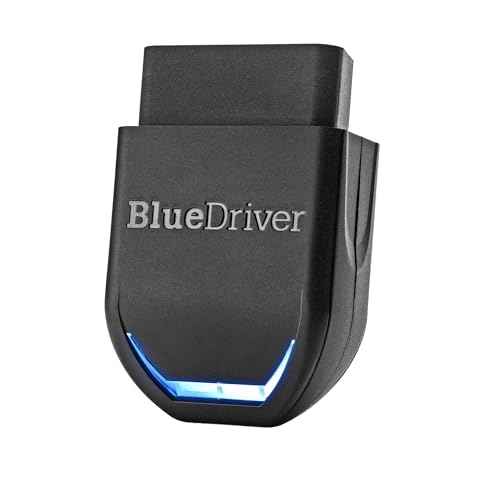
The selected BlueDriver offer is a Bluetooth scanner used with a compatible phone or tablet. Its authenticated feature text describes Pro-style diagnostic functions, while the current maker site distinguishes hardware coverage routes including Pro and Next-Gen. Confirm the actual supplied edition and use its matching compatibility checker. Do not transfer a newer edition’s coverage to another sensor from the shared BlueDriver name. The maker also says coverage can vary by model year, engine, equipment and original sales region, which matters for a Ford diesel purchase.
The selected offer describes generic engine information and enhanced modules on supported vehicles. Those conditional words are essential: ABS, SRS, transmission or TPMS access is not confirmed for every 6.7-liter truck simply because Ford appears in the brand list. Determine which specific systems and data the matching checker supports, rather than treating any generic code result as proof of complete vehicle coverage. Repair-report suggestions also remain diagnostic leads; a proposed fix from a database is not a physical test or proof that the named component has failed.
Compare the app workflow with a standalone handheld if you prefer to keep a phone separate from the job. Check current device requirements, included feature access and the maker’s stated no-subscription terms for the exact edition. Do not infer bidirectional controls, DPF regeneration or programming from enhanced code-reading language. Plan to preserve the scan information and consult appropriate Ford service guidance for diagnosis. If the hardware edition or the required diesel/module coverage cannot be resolved before purchase, choose a confirmed alternative rather than relying on a broad vehicle count or an assumption that every light truck is supported.
My Recommendation
Consider BlueDriver when the exact hardware edition, phone requirements and requested systems are confirmed for the actual Ford diesel. The wireless workflow is a practical distinction, not proof of complete service capability. Use the matching coverage checker, and choose another verified tool if a required active command or module is unsupported.
4. BLCKTEC 460T

What We Like
- 460T model explicitly identified
- OEM and generic data positioning
- Readiness and freeze-frame functions
- Dedicated maker support page
What We Don’t Like
- Region restrictions apply
- DPF reset does not prove regeneration
BLCKTEC 460T is a handheld diagnostic tool whose selected offer describes generic OBD-II functions, enhanced module information and a set of service features. The maker provides a dedicated 460T support page linking to its compatibility route and manual. That model-specific route is important because other BLCKTEC numbers are different products. Confirm the actual year, model, 6.7-liter engine and required function before buying, rather than treating an all-system or workshop-tool description as a complete Ford diesel coverage list.
The selected offer states USA/Canada restrictions for the tool and associated RepairSolutions2 workflow. Region is therefore part of the purchase check, not an assumption based only on where the truck was assembled. Its service list includes a DPF reset, but that label does not by itself establish a supported forced-regeneration command on the actual Ford. Resetting learned information and commanding a cleaning process are different tasks. Likewise, battery, ABS or steering functions need exact application confirmation and the proper service procedure before anyone considers using them.
The live-data and report features may help organize information when supported, but a database suggestion or four-graph display does not diagnose a mechanical fault independently. Check current software, device requirements for any companion app and the supplier’s applicable support terms. A free-update claim is not evidence that every new model year has been added. Keep reading information separate from clearing or commanding functions, and save the original scan where useful for the technician. If the needed system, region or diesel service function cannot be confirmed, select an appropriately verified tool rather than filling that gap with a headline feature count.
My Recommendation
Evaluate 460T for a confirmed US/Canada vehicle and task using its model-specific compatibility information. Check the actual Ford diesel systems and service feature rather than a reset count. In particular, do not interpret DPF-reset wording as proof of a supported regeneration procedure; choose another tool when the required function is unconfirmed.
5. ANCEL AD410

What We Like
- AD410 identity independently established
- Own-screen wired reader format
- Generic engine/emissions focus
- Code definitions and readiness functions
What We Don’t Like
- No full-system Ford diagnostics
- No bidirectional or service resets
ANCEL AD410 belongs in the basic engine/emissions-reader category, separate from the Ford-focused FD500 and FD700. The selected offer explicitly excludes ABS, SRS, dedicated transmission diagnostics, bidirectional control and service resets. “Enhanced OBD2” in a title should not be rewritten as Ford-enhanced module access. Confirm that its basic communication functions support the actual 6.7-liter vehicle before purchase. A statement covering many 1996-and-newer cars does not establish every diesel chassis, model year or diagnostic task.
The identified functions include reading codes, available live data, freeze frame and emissions-readiness information. A code definition is a useful starting point for communication with a repairer, not proof that one particular part is defective. Nor should gasoline-oriented test examples be copied into a promise that every O2 or EVAP function is applicable to the diesel. Determine what the vehicle actually supplies in the supported OBD mode. This product does not gain injector coding or a DPF service command simply because another ANCEL model offers those features.
AD410 uses a direct diagnostic-port connection and its own display rather than requiring a phone app for its basic interface. Check the correct update method and current computer requirements with the maker if updates matter to you. Do not rely on a generic brand blog or another model’s instructions where they conflict with the selected tool’s stated limits. Preserve useful diagnostic information before considering code clearing, and diagnose the cause rather than erasing the symptom repeatedly. For another module or an active procedure, choose a tool with that exact Ford diesel feature confirmed instead of expecting a basic reader to perform it.
My Recommendation
Consider AD410 for a confirmed generic engine/emissions reading task where a simple standalone interface is sufficient. Keep it separate from ANCEL’s Ford-specific tools. Choose another verified model for module diagnostics, injector work or DPF service commands, and do not interpret “enhanced OBD2” as proof of manufacturer-specific full-system coverage.
6. Innova CarScan Advisor 5210

What We Like
- 5210 model clearly identified
- Engine and supported ABS scope
- Live-data and readiness capability
- Manufacturer coverage checker available
What We Don’t Like
- Not an all-module service platform
- Firmware/year support must be resolved
Innova CarScan Advisor 5210 is an identifiable handheld tool whose maker describes engine and supported ABS diagnostics. That is more specific than calling it an all-module Ford diesel platform. The selected offer also describes oil-reset and battery/charging-related functions, but their actual availability must be checked for the truck. Use the 5210-specific coverage information for the year, model and engine, not the capabilities of another Innova scanner. Confirm the current firmware and hardware version where a broad product description and a coverage page give different impressions.
Live data, readiness and freeze-frame information can help organize a diagnostic conversation when the vehicle supplies them. They do not establish that every Ford diesel parameter or service command is available. The maker’s coverage page includes older model-year/update wording, so it should not be treated as a guarantee of complete present-year support. Obtain current confirmation for the exact required feature. Battery/alternator-check language also needs its actual test scope understood; a scan result or voltage observation is not a substitute for every battery and starting-system test.
The associated RepairSolutions2 workflow offers another way to organize reports and suggested repair information. Check the current device requirements and what the selected purchase includes, rather than assuming a subscription statement proves all functions are available on the truck. A suggested repair remains a lead that needs diagnosis. Save useful information before clearing codes, and follow the appropriate Ford procedure for any supported service task. If the job requires SRS access, a DPF command or another unconfirmed capability, choose a verified tool for that function instead of broadening the 5210’s engine-and-supported-ABS role.
My Recommendation
Shortlist 5210 where current coverage confirms the engine and ABS information or other specific function you need. Verify firmware and model-year support instead of assuming the newest truck is covered. Its handheld and report workflow may be useful, but select another confirmed tool for modules or diesel service commands outside that scope.
7. ANCEL FD700

What We Like
- FD700 Ford-family identity
- Maker distinguishes advanced functions
- Module data and service-menu positioning
- Dedicated handheld operation
What We Don’t Like
- Broad year ranges are limited
- Service commands require proper procedure
ANCEL FD700 is the more service-oriented Ford-family tool in the maker’s FD500/FD700 comparison. The selected offer advertises module diagnostics and additional functions such as injector-related work and DPF procedures. These are advertised categories, not confirmation that every command works on every 6.7-liter truck. Check the precise year, model, engine, module and required operation with current coverage information before purchase. The accessible retail and maker wording includes bounded year descriptions, so no automatic extension to later trucks is established here.
The useful distinction from FD500 is the broader stated service scope, including functions the basic engine readers do not provide. However, a reset, learned-value operation and manual regeneration are separate commands with different prerequisites. Do not choose FD700 from a function count without confirming the exact operation needed. The same applies to ABS, restraint, injector and battery-related procedures. A menu item does not mean the truck needs that operation, and a voltage display cannot independently establish battery health or the cause of a starting problem.
For active diesel or safety-system service, obtain the correct Ford procedure and qualified help where required. Regeneration can involve hazardous exhaust temperatures; this comparison provides no generic button sequence or permission to initiate it. Check update requirements and the actual warranty before ordering, because the selected feature text gives inconsistent warranty periods. A free-update statement does not establish unlimited future vehicle coverage. Preserve diagnostic records and address the underlying fault rather than expecting clearing or resetting to restore normal operation automatically. If current support for the exact task is unconfirmed, choose a properly supported alternative.
My Recommendation
Consider FD700 when its exact Ford diesel function and current vehicle coverage have been confirmed and the required service procedure is available. It offers a broader advertised role than FD500, but no universal command support. Resolve the warranty and software requirements, and use qualified help for hazardous or safety-system operations.
How to Choose a Scanner for a Ford 6.7 Diesel
Define the truck and the job before comparing scanner names or feature counts. Generic OBD information, enhanced module access and active service commands are separate requirements. Check the actual hardware edition, current software, sales region and the specific function you need on that vehicle.
Describe the exact vehicle and required information
Record model year, F-series model, 6.7-liter engine, chassis configuration and original sales region. Ford’s OBD documentation distinguishes diagnostic-system contexts; do not infer all communication and service support from the connector shape. List the actual goal: generic codes, specific Ford module data, a readiness check or a service operation. Use the matching manufacturer coverage checker or obtain current confirmation for that combination. Our Ford 6.7 scanner-compatibility guide explains the questions to resolve before buying. A general Ford or diesel label is not a completed feature-by-feature coverage result.
Separate reading, testing and commanding functions
Reading a code does not identify the failed part, and an app’s proposed fix is not an independent physical test. Generic engine information also does not prove ABS, SRS or other enhanced access. Confirm whether a DPF label means a reset, data display or a particular supported service command. Keep programming and calibration separate from ordinary scanning. For starting symptoms, the Ford 6.7 slow-start guide explains why the battery and starter system may need separate checks. A scanner’s voltage display alone does not replace those tests or prove that a battery reset is required.
Plan safe use and current software support
Compare the standalone versus phone workflow, required computer or phone software, update access and regional limits. Free updates do not guarantee every future truck or function. Save useful codes and freeze-frame information before considering clearing; erasing information is not repair or proof of inspection readiness. Use the proper Ford service information for any active task and qualified help for hazardous or safety-system work. Do not initiate regeneration from a generic shopping guide. If an accessory or connected device is involved in a discharge complaint, the Ford 6.7 accessory-drain guide covers that separate diagnostic question. Resolve current coverage and the actual support terms before ordering instead of relying on a large module count or a premium label.
Frequently Asked Questions
Does every sixteen-pin tool support all Ford 6.7 diagnostics?
No. Connector compatibility does not establish the required protocol, Ford modules, diesel data or active functions. Confirm the exact vehicle and task with current manufacturer coverage information.
Can NT301 or AD410 command DPF regeneration?
No such capability is established for those basic engine/emissions readers. Their selected descriptions exclude service-command functionality. Choose a tool with the exact required Ford diesel function confirmed rather than borrowing features from another model.
Does a DPF-reset label mean forced regeneration is available?
Not necessarily. Resetting learned information and commanding regeneration are different tasks. Confirm the exact function and vehicle support, and use the proper service procedure and qualified help where needed.
Will clearing a trouble code fix the truck?
Clearing information is not a repair or proof that the underlying condition has been resolved. Preserve useful diagnostic records and follow a diagnosis and repair plan. Readiness and stored information can change after clearing.
Have all seven tools been confirmed for my exact truck?
No specific truck or VIN has been checked in this comparison. These are identifiable candidates with different roles and limitations. Use the hardware-specific checker and current year, model, engine, region and function information before selecting one.
Final Verdict
Choose the required diagnostic role first, then confirm exact coverage. NT301 and AD410 are basic readers; FD500 and FD700 have different Ford-focused roles; BlueDriver, 460T and 5210 require their own hardware and feature checks. None is a universal 6.7-diesel diagnosis or repair solution. Preserve information, distinguish reading from commanding functions, and resolve current support before buying or attempting a service operation.
Affiliate disclosure: This article contains Amazon affiliate links. If you purchase through them, CarInsightPro may earn a commission. As an Amazon Associate I earn from qualifying purchases.


Pingback: Ford 6.7 Diesel OBD2 Scanner Compatibility Guide
Pingback: Ford F-250 7.3 Diesel Oil Viscosity in Cold Weather