
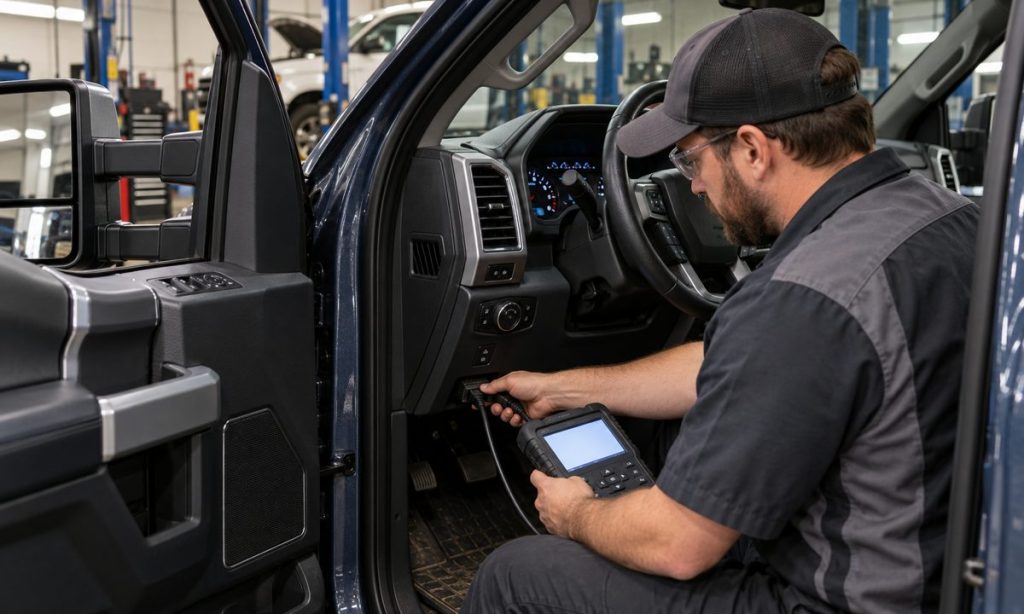
A Ford 6.7L diesel can use an OBD data-link connector and still require more than a basic “OBD-II compatible” claim for the diagnostic task you have in mind. Before buying a scanner, match its supported model year, 6.7L engine, Ford modules, communication protocols, and features to your exact truck. A generic reader may retrieve common emissions-related powertrain codes while missing Ford-enhanced data, body or chassis modules, or diesel aftertreatment information. Ford’s 2013 6.7L OBD system document distinguishes OBD-II and heavy-duty OBD coverage, and federal rules recognize multiple heavy-duty diagnostic standards. For an overview of an OBD2 scanner for a Ford 6.7 diesel, treat tool listings as claims to verify—not proof that every function works on your model year.
Start with the vehicle and the job
Write down the truck’s model year, vehicle line, engine, and—if relevant—emissions certification or GVWR. The 6.7L Power Stroke spans many years and configurations; tool coverage can change by year and software version. Then define what you need to do. Reading a check-engine code is a narrower task than viewing Ford-specific live data, accessing ABS or body modules, diagnosing a diesel particulate filter message, running a service function, or programming a module. Do not assume one inexpensive reader performs them all.
Before purchase, look for a manufacturer compatibility chart that explicitly includes your year and Ford 6.7L diesel. Confirm the supported modules and functions for that exact application. Ask whether the function is included, requires a paid app subscription, a software update, an adapter, or a professional account. A tool’s connector shape, Bluetooth connection, or general “all cars” label does not establish vehicle-specific diagnostic depth.
Understand basic OBD-II versus enhanced diagnostics
Standardized OBD functions are primarily intended to report emissions-related faults and data. A simple code reader can be useful for retrieving a generic powertrain code and freeze-frame information, depending on the vehicle and tool. Ford-specific enhanced diagnostics may expose additional codes, parameters, or modules. Access varies by scanner, app, model year, protocol, and tool licensing. Even a scanner that reads engine codes can have limits for ABS, instrument cluster, body, transmission, or aftertreatment systems.
Federal heavy-duty OBD rules include vehicles that use standardized diagnostic communications and, for applicable engines, the SAE J1939 family. Ford’s own 2013 6.7L document describes the system for that model year. These documents explain why compatibility must be checked by year and application; they do not mean that every consumer tool supports every Ford module or proprietary service routine. Do not infer full coverage from the phrase “supports OBD-II” or from a connector photo.
Check the features you actually need
- Code access: Does it read and display generic and Ford-enhanced DTCs for your model year? Can it access modules beyond the powertrain controller?
- Live data: Are the Ford-specific parameters you need listed, and can the tool graph or record them?
- Diesel systems: Does the maker explicitly document support for relevant diesel emissions and aftertreatment data on your year?
- Functions: If you need a reset, relearn, service mode, or bidirectional test, is that exact function supported—not merely “all-system diagnosis”?
- Updates: How long are updates included, and does the tool support current operating systems, adapters, and firmware?
- Connection: Is it wired or wireless, and does the specified adapter work with the required app and phone?
Ask the seller or tool manufacturer to confirm the precise year, engine, module, and function in writing if the chart is unclear. Save the compatibility page or support response before ordering. A compatibility statement may describe code reading but exclude programming or service functions. Treat those as different capabilities.
Use owner reports carefully
Public Ford diesel owner discussions commonly report that basic readers retrieve some engine codes while Ford-oriented software or higher-coverage tools expose additional parameters. Other users report adapter, app, update, or year-specific limits. These are individual experiences and can become outdated when software changes. Use them to identify questions about coverage and setup; verify the answer with the tool manufacturer’s current compatibility list and do not assume another owner’s result applies to your truck.
Use the scanner without overreaching
When diagnosing a warning, record the exact code, module, freeze-frame data, and symptoms before clearing anything. Clearing codes can erase information a technician needs and may reset readiness monitors. A code identifies a detected condition; it does not prove which part failed. Use Ford service information to interpret it and stop if the next step involves safety systems, high-pressure fuel, emissions controls, or a procedure you are not equipped to perform.
Do not use a scan tool to defeat, delete, or tamper with emissions controls. For a red warning, reduced-power message, serious drivability symptom, or safety-system fault, arrange qualified diagnosis. A scanner’s ability to display a code is not the same as a safe repair plan.
Pre-purchase checklist
- Verify the exact year and engine in the tool maker’s application list.
- Confirm which modules and Ford-enhanced codes are supported.
- Check diesel aftertreatment and live-data coverage if that is your purpose.
- Verify every needed service function by name and model year.
- Review subscription, update, adapter, and phone requirements.
- Confirm return and support terms if your vehicle is not explicitly listed.
Frequently Asked Questions
Will any OBD-II scanner read a Ford 6.7 diesel?
A standard reader may work for some generic emissions-related functions, but coverage varies. Verify your exact model year, engine, modules, and diagnostic task with the tool manufacturer.
Does a 16-pin connector prove full compatibility?
No. The connector is only the physical interface. The scanner also needs the right protocol, software, and vehicle-specific coverage for the codes or modules you want.
Can a basic scanner read DPF or DEF faults?
Some tools may read certain emissions codes, while enhanced data and service functions can require more coverage. Confirm the exact feature and truck year before buying.
Can a scanner tell me which part to replace?
No. A diagnostic trouble code describes a detected condition. Use the code with service information and appropriate tests; do not replace a part solely because its name resembles the code description.
Should I clear the code after reading it?
Not before recording the code and freeze-frame details or consulting the service procedure. Clearing can remove useful evidence and affect readiness-monitor status.
Final Words
Verify compatibility against the exact 6.7L truck and the diagnostic tasks you need. Standard OBD-II access can be useful, but it does not promise Ford-enhanced data, every module, or diesel service functions. Check the current manufacturer coverage, software costs, and adapter requirements before purchasing, then use codes as diagnostic clues rather than automatic parts instructions. The related guide to an OBD2 scanner for a Ford 6.7 diesel can help frame the comparison, but confirm every claimed feature for your model year.
Pingback: Check OBD2 Scanner Compatibility for Ford Explorer