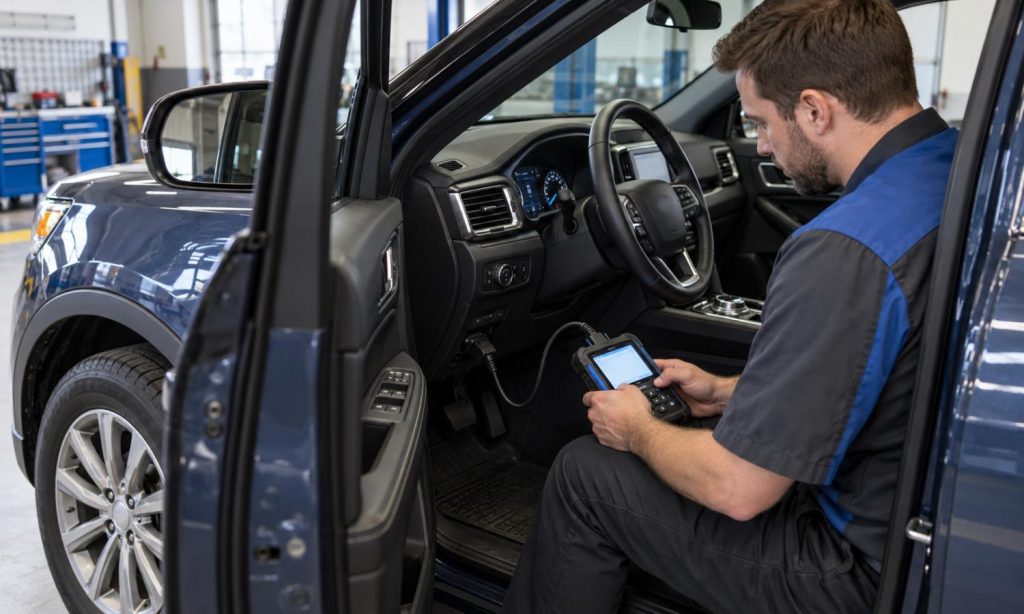
To check OBD-II scanner compatibility with a Dodge Charger V6 before buying, separate basic emissions-related diagnostics from broader vehicle-system coverage. A 2018 Charger V6 has an OBD-II system, so a standards-compliant basic tool should be able to access supported generic powertrain information. That does not mean every scanner can read every Chrysler-specific code, display all live data, communicate with ABS or airbag modules, run service functions, or perform bidirectional tests. Match the tool’s published coverage to the job you need it to do.
Confirm which Charger you have
Record the model year, engine, trim, and VIN. For a 2018 Charger, confirm that the vehicle is the 3.6L V6 rather than assuming from the model name alone. Use the owner’s manual and the scanner maker’s current vehicle coverage guide. Check whether the scanner supports the year and engine directly, and whether its compatibility claim applies to the tool itself, an included app, or a separate subscription.
The standardized OBD-II connection and emissions-related functions are intended to support mandated diagnostics. SAE J1979 defines standardized diagnostic modes for emissions-related data. A basic reader may retrieve supported powertrain codes, freeze-frame data, readiness status, and live data, while enhanced functions depend on the vehicle, scanner, software, and purchased coverage. A plug that fits the port does not prove that a device supports every module or function.
Match scanner capability to your intended task
- Basic check-engine light diagnosis: Confirm support for generic powertrain trouble codes and emissions-related data for the 2018 Charger V6.
- Code definitions and data: Check whether the tool reports only a code number or also offers descriptions, freeze-frame details, readiness monitors, and live sensor values.
- Manufacturer-specific powertrain codes: Verify that the exact scanner model and software version list Chrysler or Dodge enhanced powertrain coverage for this Charger.
- Other modules: If you need ABS, airbag, body, transmission, or network codes, confirm each module explicitly. “All-system” claims can vary by model year, trim, and feature set.
- Service functions: Functions such as relearns, adaptations, active tests, or resets require dedicated vehicle and tool support. Do not assume that code reading includes them.
- Updates and subscriptions: Check what is included, how long updates last, whether a subscription is required, and whether coverage can change after the sale.
Before purchase, search the scanner maker’s coverage database for the exact year, make, model, engine, and VIN range. Save a copy of the coverage page and look for a named function rather than a general promise that the scanner works with “Dodge” or “all OBD-II vehicles.” If the support page is unclear, ask the manufacturer to confirm the exact scanner model, software version, and Charger configuration in writing. If you want to record an intermittent fault, also check whether the tool can save or graph live data and retrieve freeze-frame information; a low-cost reader may show only a limited view. Confirm that the app can export a report if you plan to share results with a repair shop. Compare the functions you will actually use against the manufacturer’s coverage notes instead of paying for modules or tests the Charger does not support.
Consider the exhaust-related question separately
The secondary phrase “exhaust for 2018 Dodge Charger V6” may relate to a different purchase or repair. An OBD-II scanner can report supported emissions-related powertrain information, but it does not verify exhaust-part fitment, inspect a physical leak, guarantee emissions-test readiness, or confirm that a replacement component is legal in your location. A related 2018 Charger V6 exhaust overview addresses the exhaust category; use the vehicle and local requirements to confirm any part. A scanner’s readiness screen is only one part of emissions inspection and does not certify the vehicle’s hardware.
Check the connector, app, and data practices
On the 2018 Charger, consult the owner’s manual for OBD-II information and warnings about connecting equipment to the port. Mopar cautions that unauthorized devices may affect vehicle systems or access stored information. Consider the tool maker, app permissions, connectivity, data sharing, and whether the device remains connected after diagnosis. Avoid leaving an unneeded adapter plugged in, especially if it can communicate over Bluetooth or cellular service.
For a wired reader, check that the connector and cable reach comfortably without interfering with pedals or driving controls. For a Bluetooth or Wi-Fi adapter, verify phone and operating-system support, the required app, and whether a separate interface is needed. Do not use a scan tool while driving unless the manufacturer and vehicle instructions expressly support a safe use case. If a warning light flashes or the engine runs severely, follow the owner’s manual and arrange prompt service rather than relying on a code reader to make the car safe.
For other vehicle-specific examples, compare our Ford Explorer OBD-II compatibility guide, Dodge Ram 2500 compatibility guide, and Ford 6.7 diesel scanner checklist. They illustrate why general OBD-II access and model-specific coverage are different questions.
If you’re comparing broader tool coverage, see the Ford diesel OBD-II scanner overview, the Ford diesel diagnostic scanner comparison, and the multi-brand scanner guide. Those pages are background on feature descriptions, not evidence that a particular model supports every 2018 Charger V6 system.
Frequently asked questions
Will a basic OBD-II scanner work on a 2018 Dodge Charger V6?
A standards-compliant basic tool should access supported generic emissions-related powertrain data, but confirm the tool’s exact coverage and functions. Broader module access is a separate capability.
Can every scanner read ABS and airbag codes?
No. The scanner must list the specific module and function for the Charger’s model year and configuration. Basic OBD-II coverage does not guarantee ABS, airbag, body, or service-function support.
Does a code reader tell me which part to replace?
No. A diagnostic code points to a condition or circuit for testing; it is not a parts recommendation. Use appropriate service information and diagnosis before replacing components.
Can an OBD-II scanner verify an exhaust replacement?
It may show supported emissions data and monitor status, but it cannot confirm physical fitment, inspect for leaks, or determine whether a part complies with local requirements.
Should I leave an adapter plugged in?
Check the device and owner-manual instructions. Consider battery draw, connectivity, and privacy, and remove the adapter when it is not needed unless the manufacturer specifies otherwise.
Final Words
For a Dodge Charger V6, check the scanner’s coverage for the exact model year and engine, then verify the particular diagnostics you plan to use. Basic emissions-related powertrain access differs from enhanced Chrysler coverage, other control modules, and service functions. Confirm software and subscription details with the manufacturer, follow the Charger owner’s manual for OBD-port use, and treat exhaust fitment as a separate question from scan-tool compatibility.