
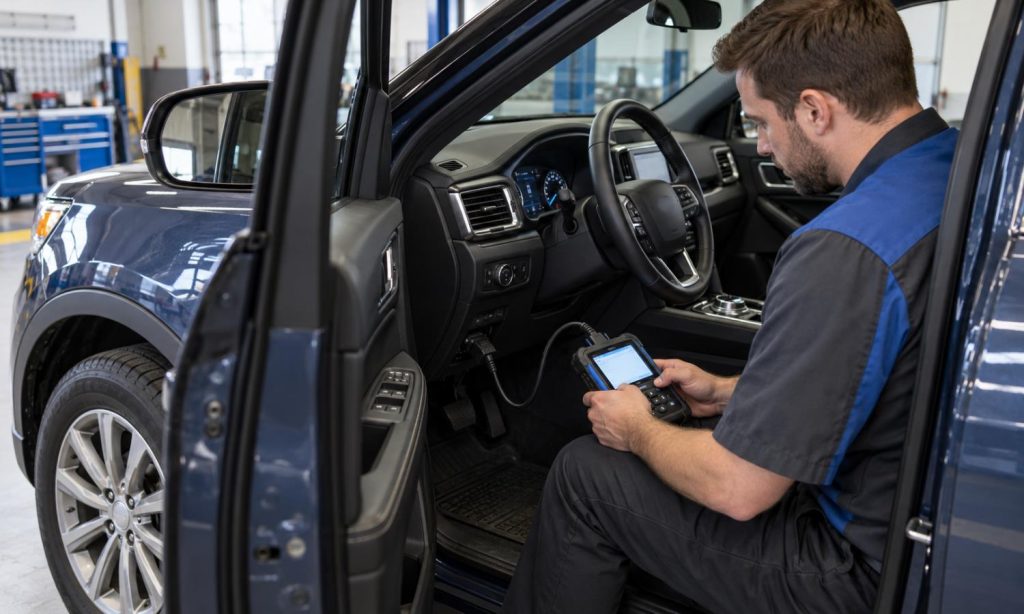
To check OBD2 scanner compatibility with a Ford Explorer before buying, first identify the model year, engine, and the diagnostic functions you need. A generic OBD-II reader may communicate with standardized emissions-related powertrain data on a compatible U.S.-market vehicle, while access to other modules, service functions, or bidirectional controls can depend on the Explorer’s year, equipment, scan tool, and software. Do not treat “works with Ford” as proof that every function works on your Explorer. Compare the scanner maker’s current year/make/model coverage, supported protocols, app or software requirements, and limitations. If you only need a basic check-engine code, your requirements may be modest; if you need ABS, airbag, body, or service functions, verify each one specifically before ordering.
Identify the Explorer and the job you need to do
Write down the model year, engine, trim, and market version of the Explorer. The diagnostic connector and emissions system are standardized within the OBD-II framework, but vehicle networks and available modules change over time. A scanner listed for one Explorer generation may not support the same functions on a newer vehicle. Decide whether you want to read and clear generic powertrain codes, view live data, run emissions readiness checks, access manufacturer-specific modules, or perform an active test or reset.
The word “scanner” can describe a basic code reader, a Bluetooth adapter that depends on a phone app, or a professional scan tool with broader coverage. Compatibility has several layers: the vehicle-to-tool connection, the functions the hardware can request, software/app support, and whether a task requires a subscription or a repair procedure. Do not assume the connector fitting physically means every feature is supported.
Separate basic OBD-II coverage from enhanced functions
In the United States, light-duty vehicles from model year 1996 onward generally use OBD-II for standardized emissions diagnostics. That baseline does not mean every scanner can communicate with every module or perform every service operation. A basic reader may retrieve standardized powertrain trouble codes and some live data, but functions such as ABS, airbag, transmission-specific data, key programming, or bidirectional tests may require enhanced vehicle coverage.
Check the scanner manufacturer’s compatibility chart for the exact Explorer year and engine. Then read the function list for the product or app you plan to use. Look for separate confirmation of each system and function, not a broad statement such as “all OBD2 vehicles.” Some features depend on a paid app tier, an update, a compatible phone operating system, or a particular adapter version. A guide to checking compatibility with a Ford 6.7 diesel shows why tool support should be checked at the vehicle and function level; diesel-specific coverage is different from Explorer coverage.
Confirm connector, software, and communication support
Use the Explorer owner’s manual or Ford service documentation to confirm relevant diagnostic-port information and warnings. For example, Ford’s 2015 Explorer manual describes the OBD-II system and diagnostic data. Ford manuals for different years may also warn that non-approved devices left connected during normal driving can interfere with vehicle systems. Treat the exact manual for your model year as controlling; do not rely on instructions from a different generation.
For a Bluetooth adapter, check phone compatibility, operating-system requirements, app name, update policy, and whether the desired functions require a separate license. For a handheld tool, verify its vehicle coverage and update terms. Ask the manufacturer whether the exact tool version supports your Explorer’s year, engine, and requested functions. Save the response or compatibility result in case the package arrives with a different hardware or software version than expected.
Read user reports carefully
When reading public owner reports or product reviews, check whether the reviewer names the Explorer year, engine, scanner model, app or firmware version, and the exact function tested. Reports can help you identify questions for the manufacturer, but one person’s result is not proof of coverage for another configuration. Give more weight to current, detailed reports than to ratings that omit the vehicle and feature. If the scanner maker does not list your exact year or requested function, contact support before buying.
Use a safe, simple pre-purchase checklist
- Record the exact Explorer model year, engine, and trim.
- Define the task: basic emissions codes, live data, additional modules, service reset, or active control.
- Check the manufacturer’s coverage for the exact year and requested functions.
- Verify app, phone, subscription, adapter, and update requirements.
- Read the owner’s manual for diagnostic-port cautions and vehicle-specific warnings.
- Ask the tool maker for written confirmation if the coverage page is unclear.
- Buy from a source with a return policy that allows a compatibility check before use.
Once you have a tool, follow its instructions and record codes and related data before clearing anything. A code points to a system condition; it does not by itself prove which part has failed. For comparison, see our guides to scanner coverage for Dodge Ram 2500, OBD-II compatibility questions for a Dodge Ram, scanner compatibility for Dodge Charger V6, and the general pre-purchase OBD2 compatibility checklist. These are comparisons of the checking process, not evidence that a scanner or function works on an Explorer.
When a professional scan may be needed
If a warning involves braking, steering, airbags, or another safety-related system, do not rely on a generic reader to decide whether the vehicle is safe to drive. Follow the owner’s manual and arrange professional diagnosis as appropriate. A professional tool may be needed for module-level faults, guided tests, or procedures that require factory information. Do not clear a code simply to turn off a warning or to prepare for an inspection; first record the information and address the underlying issue.
A scan tool also cannot guarantee that a repair is correct or that the vehicle will pass an inspection. If a code involves a safety-related system or you are unsure how to interpret it, follow Ford’s manual and use an appropriately equipped repair professional.
Frequently Asked Questions
Will any OBD2 scanner work with a Ford Explorer?
A generic reader may support standardized OBD-II functions on many U.S. Explorers, but additional modules and service features vary by year, tool, and software. Verify your exact coverage before buying.
Can a basic scanner read ABS or airbag codes?
Not necessarily. Those systems often require enhanced vehicle-specific coverage. Check the scanner maker’s function list for the exact Explorer year and system.
Does a Bluetooth OBD2 adapter need an app?
Usually, yes. Confirm that the adapter works with the chosen app and phone, and check whether desired functions require a paid license or subscription.
Can I clear a check-engine code after reading it?
You can follow the tool instructions, but record the code and related data first. Clearing a code does not repair the cause and may reset emissions readiness monitors.
What if a compatibility chart does not list my Explorer?
Ask the manufacturer to confirm the model year, engine, and specific functions in writing. If support is not confirmed, choose a tool with clear coverage and a suitable return policy.
Final Words
The right way to check OBD2 scanner compatibility with a Ford Explorer is to match the exact year and engine to the functions you plan to use. Basic emissions-related code reading and enhanced access to other modules are different capabilities. Verify the scanner, app, phone, software version, and subscription requirements with the manufacturer, and read the matching Ford manual for vehicle-specific cautions. Use public owner reports as leads for questions, not as proof of coverage. Check the scanner maker’s coverage for each system you plan to access before connecting it to the Explorer.
Pingback: Check OBD2 Scanner Compatibility for Dodge Charger V6
Pingback: How to Check OBD2 Scanner Compatibility Before Buying