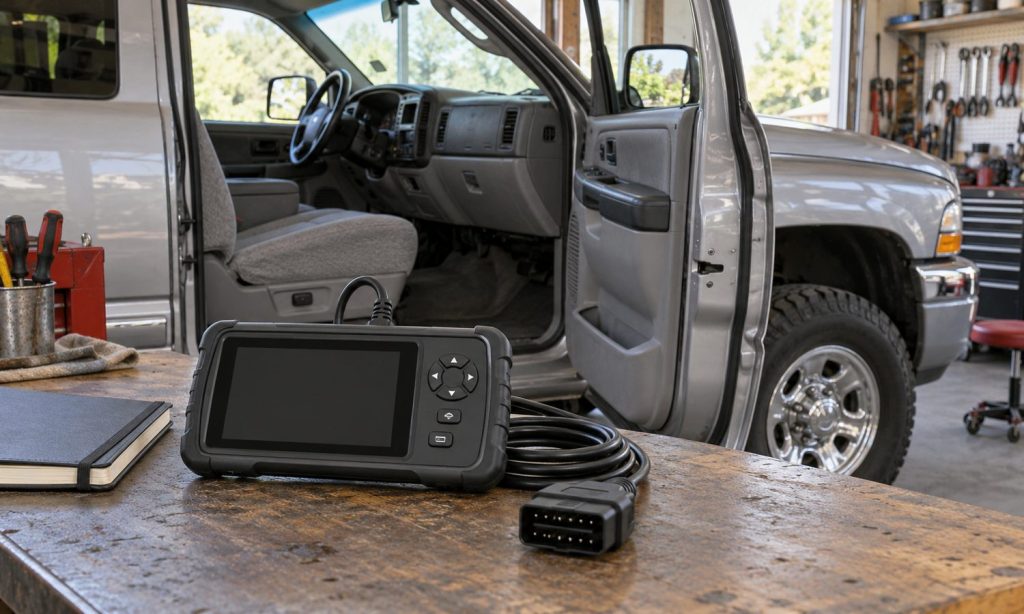
To check OBD-II scanner compatibility with a car before buying, identify the vehicle’s model year, engine, market, and the functions you need. A basic OBD-II tool can communicate with supported standardized emissions-related systems, but that does not mean it can access every control module, program keys, or service an anti-theft system for a car. “Compatible with OBD-II” is only the starting point; verify the exact scanner model and software against the vehicle and your intended task.
Identify the vehicle and diagnostic goal
Record the year, make, model, engine, and country or region where the car was originally sold. Check the owner’s manual and emissions label for OBD information, especially if the vehicle is older, imported, modified, or sold outside the United States. For a typical U.S.-market passenger car from model year 1996 onward, OBD-II compliance is generally expected, but the scanner maker’s coverage chart remains the best way to confirm a specific vehicle.
Decide whether you only need to read a check-engine light or need deeper access. A basic reader may show standardized powertrain codes, freeze-frame data, readiness monitors, and supported live values. Enhanced coverage may be needed for manufacturer-specific codes, ABS, airbag, transmission, body, or other modules. Service functions such as relearns, active tests, adaptations, or resets are separate capabilities and may require the exact vehicle, tool software, and a subscription.
Read the scanner’s coverage details
- Vehicle lookup: Search the maker’s current compatibility database by year, make, model, engine, and market.
- System coverage: Check which modules the scanner can read and whether it can clear codes or perform named tests.
- Data functions: Confirm support for live data, graphing, freeze-frame information, readiness status, and report export if you need them.
- Software and updates: Review what is included, how updates are delivered, whether they expire, and which features require a paid plan.
- Phone and connection requirements: For an app-based adapter, confirm your phone’s operating system, wireless type, app permissions, and any required account.
- Customer support: If the listing is vague, ask the scanner maker to confirm the exact model, software version, vehicle, and function in writing.
The U.S. EPA describes OBD as monitoring emissions-control and related engine components and turning on a malfunction indicator when a qualifying fault is detected. This explains why a basic scan tool is useful for check-engine diagnostics while a vehicle’s alarm or immobilizer may require a different path. The scanner reads information the vehicle exposes to the supported service; it does not replace an electrical test, vehicle-specific repair manual, or security authorization.
SAE J1979 describes standardized emissions-related diagnostic services. That scope does not promise access to every vehicle system. The scanner may fit the data port and read a generic engine code while still lacking the software for a specific body module or service routine. Save the coverage page and compare the exact named function instead of relying on broad phrases such as “works with all cars.”
Keep anti-theft system support separate
An anti-theft system for a car may include an immobilizer, key recognition, alarm, steering-column lock, or security module. Generic emissions-related OBD-II access does not prove that a scanner can read security faults, register keys, or perform immobilizer service. These functions can be restricted to particular tools, accounts, credentials, or authorized repair procedures. If you need help with a no-start or security warning, use the owner’s manual and a qualified automotive locksmith or service provider who can confirm legitimate support for the vehicle.
Do not buy a generic scanner expecting it to bypass an immobilizer or turn off a theft deterrent. A code reader reports supported diagnostic information; it does not establish ownership, repair a key, or guarantee a security reset. If the car will not start after a key or battery issue, record the warning message and contact the manufacturer or an authorized professional rather than attempting undocumented programming.
Check how the scanner handles data and updates
Before purchase, review the app’s permissions, privacy policy, and connectivity. A Bluetooth or cellular adapter may transmit vehicle data or remain connected when not in use. Check whether it stores diagnostic records, shares them with third parties, or requires a cloud account. Follow the owner’s manual and tool instructions, and remove an adapter when it is no longer needed unless the manufacturer directs otherwise.
After connecting a scanner, record codes and freeze-frame information before clearing anything. Clearing a code can erase useful diagnostic data or reset readiness information. A readiness display does not prove a repair is complete or guarantee an emissions inspection result. If a warning light is flashing, the engine runs severely, or a security system prevents the vehicle from starting, seek prompt professional diagnosis.
For model-specific examples, compare our Ford Explorer OBD-II compatibility guide, Dodge Ram 2500 scanner checklist, and Ford 6.7 diesel compatibility guide. For broader feature context, see the multi-brand OBD-II scanner overview, Ford diesel scanner guide, and diesel diagnostic scanner comparison. These articles address other vehicles and do not guarantee coverage for yours.
If an alarm, dash camera, remote start, or other accessory is also part of the concern, our accessory-related battery drain guide explains a separate electrical issue; it does not cover immobilizer programming.
Frequently asked questions
Will any OBD-II scanner work with any car?
A compatible basic tool may access standardized emissions-related functions on supported OBD-II vehicles, but coverage of other modules and service functions varies. Check the exact vehicle listing before buying.
Can an OBD-II scanner program a key?
Not necessarily. Key registration and immobilizer functions are manufacturer-specific and may require authorized tools or credentials. Confirm support with a qualified provider.
Does a scanner that reads engine codes also read ABS or airbag codes?
No. Those systems require explicit module support. A generic powertrain code reader may not communicate with them.
Can I clear a code before an emissions test?
Clearing codes may reset readiness monitors and erase diagnostic evidence. Record the information first and follow local inspection guidance and the vehicle’s service instructions.
What should I do if the scanner maker’s compatibility chart is unclear?
Ask the manufacturer to confirm the exact scanner model, software version, vehicle details, and diagnostic function before purchase.
Final Words
Check scanner compatibility by vehicle year, make, model, engine, market, and the precise diagnostic functions you need. Basic OBD-II access covers standardized emissions-related data, while other modules, service routines, and anti-theft functions require separate support. Verify the tool’s current coverage and software terms before buying, and use a qualified provider for key or immobilizer work.