
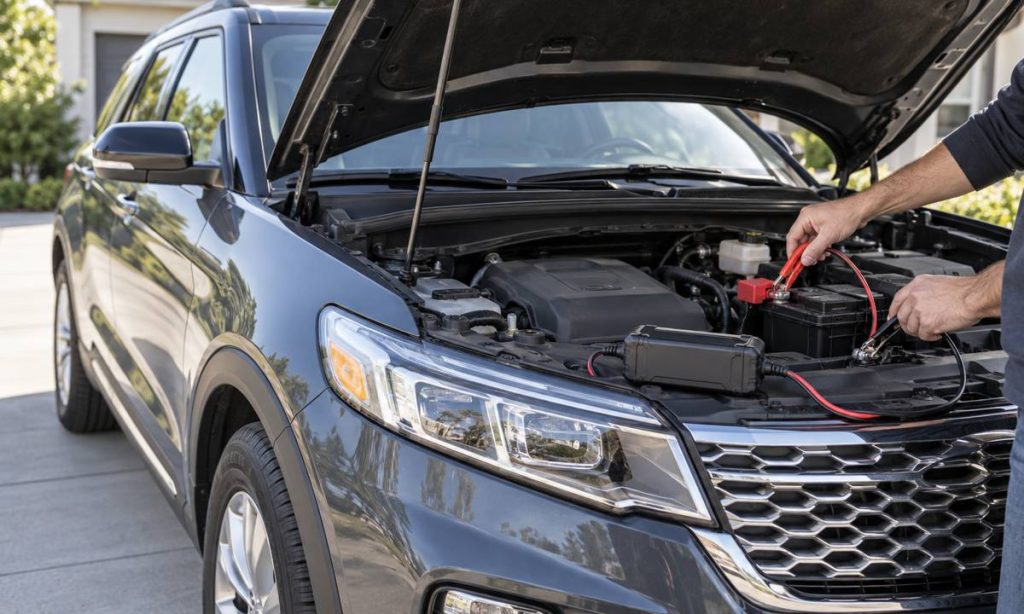
“Charging equipment” can mean a charger for the Explorer’s 12-volt battery, a maintainer used while the SUV is parked, or a cable and adapter for phones and other devices. Those are different jobs, and compatibility depends on the equipment type and the exact Explorer model year. Before connecting anything, identify the battery or outlet you intend to use, read the vehicle owner’s manual, and compare the charger’s voltage, chemistry setting, current, connector, and safety features with the vehicle’s specifications. Do not assume a product fits every Ford Explorer. A conventional gas Explorer does not use an electric-vehicle traction charger; some newer or non-U.S. Explorer variants may have different electrified systems. If you are unsure which system your vehicle has, verify the VIN and manual before plugging in or connecting a charger.
Identify what you are trying to charge
First decide whether you mean the vehicle’s 12-volt battery, a portable device powered from a USB or 12-volt outlet, or a high-voltage traction battery in an electrified vehicle. A 12-volt battery charger connects to the vehicle battery; a phone charger connects to an accessory port. An EV charging station is designed for a compatible vehicle charge port and high-voltage battery system. These cannot be substituted for one another.
For an older gas-powered Explorer, such as a 2015 model, the relevant question is generally whether a 12-volt battery charger or maintainer is suitable. For battery chemistry, charger modes, and connection points, see our Ford Explorer battery-charger selection guide. Newer model years and different markets may include additional powertrain variants. Use the VIN and the correct Ford manual to confirm the configuration. Do not infer a vehicle’s charging system from trim name, appearance, or a generic listing.
Match a 12-volt battery charger to the battery
Confirm voltage and battery type
Read the battery label and the owner’s manual before selecting a charger. Verify that the unit supports the battery’s nominal voltage and chemistry. Lead-acid batteries may use flooded, AGM, or other constructions, and the charger’s modes are not interchangeable in every case. If the Explorer has a replacement battery, use the replacement battery maker’s instructions as well as Ford’s vehicle guidance. Do not select an AGM or lithium charging profile simply because it appears faster; the charger setting must match the battery installed.
Check charging current and use case
Look at the charger’s rated output and intended battery capacity range. A low-current maintainer may be appropriate for maintaining a healthy battery over storage, while a more capable charger may be needed to replenish a discharged battery. Use the battery and charger manufacturers’ specifications rather than guessing from engine size. A charger should not be used to revive a battery that is swollen, leaking, frozen, unusually hot, or visibly damaged. Stop and seek professional help if the battery condition is uncertain.
Verify connector and protection features
Check that the clamps or approved connection harness fit the battery terminals and that polarity is clearly marked. The charger should have appropriate protection against reverse polarity, short circuit, overheating, and overcharging for its intended use. Read its manual for connection order, ventilation, weather limits, and whether it may remain connected unattended. Keep leads away from belts, fans, exhaust parts, and sharp edges. Never let metal tools bridge battery terminals.
Follow the Explorer’s battery instructions
Ford’s owner-manual lookup provides the manual for the exact model year. Follow the battery, jump-starting, or charging instructions in that manual; battery location, access, monitoring systems, and procedures can vary. Some vehicles use battery monitoring sensors or special connection points. Connecting directly to the wrong point can bypass those systems or create an electrical hazard. Do not improvise a connection based on a video for a different year.
Work in a well-ventilated area and keep flames, sparks, and smoking materials away from a lead-acid battery. Wear eye protection and follow the charger instructions. If the manual calls for a specific ground point, use it. Do not disconnect or remove the battery unless the vehicle-specific procedure allows it. For a hybrid or high-voltage system, do not touch orange cables or high-voltage components; have a qualified technician handle work beyond the 12-volt owner-maintenance instructions.
Check portable-device charging compatibility
If you mean charging a phone, tablet, dash camera, or other accessory inside the cabin, check the Explorer’s available outlet type and its stated power limits. A USB-A, USB-C, wireless charging pad, and 12-volt accessory socket have different connectors and capabilities. Compare the device’s input requirements with the port’s output information in the owner’s manual. A plug that physically fits does not establish that it supplies the required power or charging protocol.
Use a reputable cable and adapter rated for the device and vehicle outlet. Avoid overloading a 12-volt socket with a splitter or high-draw equipment unless the manual confirms the circuit can support it. Route cables clear of pedals, seat tracks, airbags, and controls. If an adapter becomes hot, smells unusual, causes a fuse to blow, or interrupts vehicle electronics, unplug it and discontinue use. Do not replace a fuse with a higher-rated one to accommodate a charger.
Understand EV charging limits
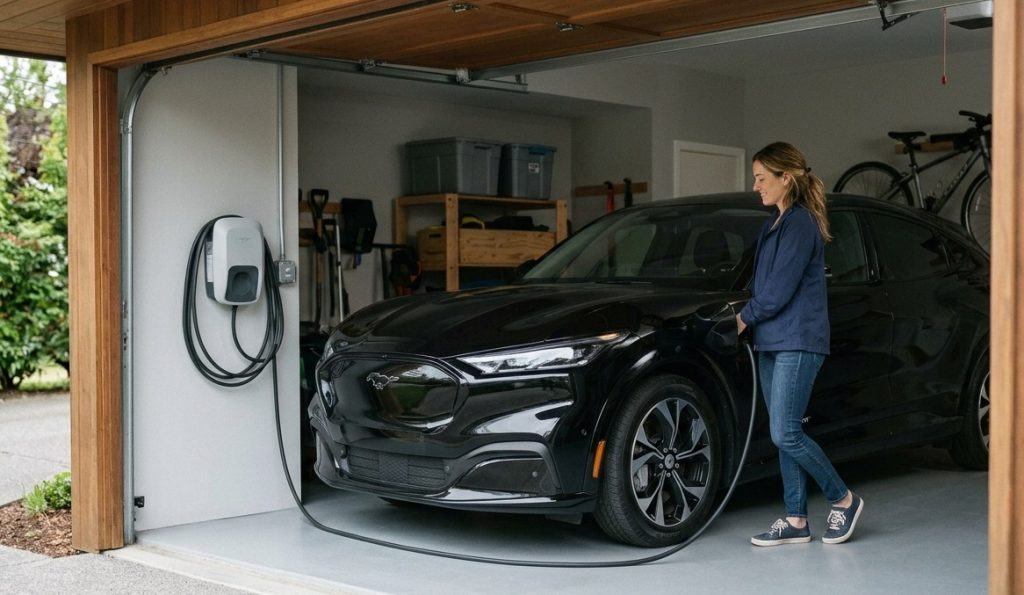
Do not connect a home EV charging station to a conventional Explorer’s 12-volt battery or accessory outlet. EV charging equipment connects through a compatible charge port and must match the vehicle’s charging standard, voltage, and supported charging rate. Ford’s home-charger guidance explains that a Ford EV charger still requires a vehicle with a compatible onboard charger. It does not establish compatibility for every vehicle called Explorer.
If your Explorer is an electrified variant sold in another market, check the VIN-specific documentation for the charge-port type, required cable, adapter approval, and supported AC or DC charging. Never use an adapter based only on matching connector shape. Do not attempt to charge a high-voltage battery through 12-volt terminals. When documentation is missing or conflicting, contact Ford or an authorized EV technician before connecting equipment.
Warning signs that mean stop
Stop charging if the charger reports a fault, the battery becomes hot, the case swells, fluid leaks, cables or clamps heat up, or you smell sulfur or burning. Do not continue if the vehicle displays electrical warnings or behaves unusually after a charger is connected. Disconnect only as instructed by the charger and vehicle manuals. A battery that repeatedly loses charge may have a battery, alternator, wiring, or parasitic-draw problem; a charger alone will not diagnose or repair the cause.
Frequently Asked Questions
Can I use any 12-volt charger on a Ford Explorer?
No. Match the charger to the battery voltage and chemistry, check its output range, and follow the instructions for the exact Explorer and battery.
Can an EV wall charger charge a 2015 Explorer battery?
No. A conventional 2015 Explorer’s 12-volt battery is not charged through an EV charge port. Use a suitable 12-volt charger according to the owner’s manual.
How do I know whether my Explorer is an electrified model?
Confirm its powertrain from the VIN-specific Ford records, vehicle label, and owner’s manual. Do not rely on the nameplate or a generic parts listing.
Can I leave a battery maintainer connected overnight?
Only if both the maintainer and vehicle instructions allow that use and the setup is undamaged, properly connected, and in a suitable location. Follow any monitoring or ventilation requirements.
Why does my phone charge slowly from the Explorer’s USB port?
The port’s output, cable, device, and charging protocol all affect speed. Check the vehicle manual and device requirements, and use a compatible adapter rather than assuming every port supports fast charging.
Final Words
To verify charging equipment compatibility with a Ford Explorer, first identify whether you are charging the 12-volt battery, a cabin device, or an EV traction battery. Match voltage, battery chemistry, current, connector, and safety instructions to the exact vehicle and installed battery. Use the VIN-specific Ford manual, and stop if equipment faults, the battery is damaged, or the procedure is unclear. High-voltage charging and repair belong with equipment and technicians approved for that system.
Pingback: Why a Car Accessory May Drain the Battery: Checks