
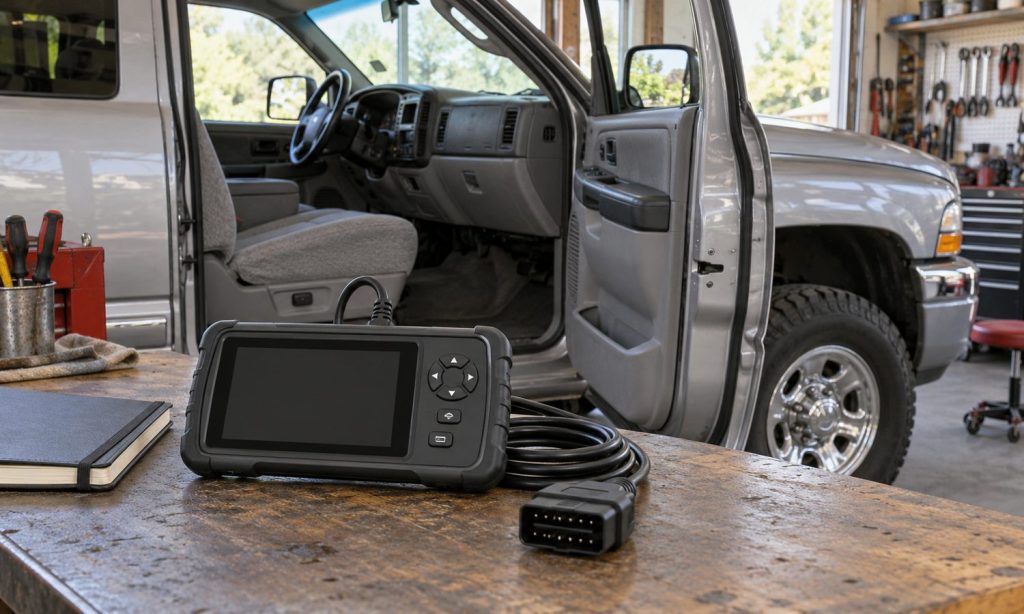
Learning how to check OBD2 scanner compatibility with Dodge Ram 2500 before buying starts with a precise question: which information or function do you need from your particular truck? Reading an emissions-related engine code is different from accessing an ABS module, viewing manufacturer-specific transmission data, or performing a service routine. A plug that fits beneath the dashboard does not establish all of those capabilities. Model year, gasoline or diesel engine, vehicle certification, installed modules, and scanner software can change the answer. This guide shows you how to document the truck, read coverage information, and request useful confirmation before spending money. It also explains why a scanner’s communication failure does not automatically mean the scanner is incompatible, and why clearing a warning is not the same as repairing its cause.
Start with an accurate vehicle record
Collect the VIN, model year, engine displacement, fuel type, transmission, and relevant options. Read the certification label for gross vehicle weight rating rather than estimating from the 2500 badge. Record the emissions-label information and any engine, computer, or wiring modifications. These details help technical support identify the application correctly.
Older trucks need particular care. The familiar claim that a tool works on all vehicles from 1996 onward should not replace checking coverage for a heavy-duty pickup. Federal onboard-diagnostic requirements developed differently across vehicle classes and fuel types. A passenger-car compatibility statement is not sufficient evidence for every early Ram diesel.
If you are checking a 2001 Dodge Ram 2500, explicitly identify whether it has a gasoline engine or the Cummins diesel. Do not accept a search result for a different Ram engine as proof. Ask for confirmation of the exact engine and the intended module or function in writing.
Separate basic OBD2 from enhanced diagnostics
Generic OBD2 focuses on emissions-related diagnostic information. Depending on what the truck supports, a reader may retrieve trouble codes, readiness information, freeze-frame records, and selected live data. These functions can help organize a diagnosis, but they do not provide a complete inspection of every vehicle system.
Enhanced coverage adds manufacturer-specific access. ABS, supplemental restraints, body electronics, and transmission functions must be checked individually. A tool advertising full-system capability may still have different coverage across model years. Even access to one module does not prove support for every data item or service operation within it.
Write a short task list before comparing specifications. Examples include reading engine codes, saving a freeze-frame report, viewing a named transmission temperature parameter, or reading an ABS fault. Replace vague requirements such as everything with a list that a coverage chart or support technician can actually answer.
Read coverage tables at function level
Use the scanner manufacturer’s current application database or technical documentation. Select the exact device model, vehicle year, engine, and software version. If the database separates Dodge and Ram entries, check the naming used for your year rather than assuming an empty result means no support.
Look for separate entries for reading codes, clearing codes, live data, active tests, and service functions. Mark each needed capability as confirmed, unsupported, or unresolved. A supported engine-control module with no listed service routines should not be counted as proof that a specific relearn procedure is available.
Save the dated coverage result. Software changes, and a used tool may not contain the version shown in a current demonstration. If a function matters enough to determine the purchase, request confirmation using the exact tool identifier and truck details. Ask what happens if that verified function fails on your otherwise correctly functioning vehicle.
Check diesel coverage without assuming every parameter exists
For a diesel Ram, confirm the relevant engine generation and supported control modules. A generic emissions-code reader may not expose the manufacturer-specific data needed for a particular diesel diagnosis. Ask about named parameters rather than accepting a broad diesel-compatible label.
Only request aftertreatment information that applies to the truck’s actual equipment. Diesel particulate filter, exhaust-fluid, and regeneration features are not shared by every model year. A menu displaying those words does not establish that your truck has the system or that the tool can control it.
Active tests and service routines require a separate safety decision. A scanner may be technically capable of commanding equipment while the operator lacks the procedure, training, or suitable workspace. Do not perform brake, airbag, fuel-system, or regeneration operations merely to test whether a newly purchased tool works.
Verify security access on applicable newer trucks
Some later vehicles use a security gateway that restricts diagnostic write operations. Manufacturer guidance distinguishes viewing data or trouble codes from protected actions such as clearing codes, programming, or running routines. Confirm whether your exact Ram configuration has such a gateway and how the proposed tool obtains authorized access.
Ask the equipment provider about registration, supported authentication, internet requirements, and any separate subscription. Basic communication does not prove protected functions will operate. Conversely, a blocked command does not necessarily indicate a broken scanner. Do not purchase a bypass arrangement as a substitute for understanding the authorized workflow.
Include the phone, software, and ongoing costs
For a wireless adapter, verify both the adapter and the diagnostic application. Confirm the phone operating system, supported connection method, app version, and any required enhanced vehicle package. An adapter and app can each claim OBD support while their combination lacks the specific Ram function you need.
For a standalone tool, check update eligibility, included cables, account transfer rules for used equipment, and what remains usable after a subscription ends. Ask whether support requires an active update plan. Keep screenshots and written answers with the purchase record so troubleshooting begins with the promised configuration.
Consider practical usability without turning specifications into assumptions. Can you save and export reports? Are data labels and units understandable? Will the cable reach without crossing the pedals? Does the screen remain readable in your workspace? These questions matter after electronic compatibility has been established.
Make the first check a read-only session
Follow the vehicle and scanner instructions for connecting, ignition state, and power requirements. Start by reading identification and existing faults. Save the report and freeze-frame information before clearing anything. Diagnostic codes identify conditions requiring investigation; they do not prove a particular component must be replaced.
If communication fails, check the selected vehicle profile, tool instructions, connector condition, and documented vehicle-side power checks. Do not bridge diagnostic pins or probe unfamiliar circuits. A damaged connector, wiring problem, or vehicle configuration issue can cause a communication failure even with a compatible tool.
Avoid using code clearing to prepare for an inspection. Clearing information or disconnecting the battery can affect readiness, and inspection rules vary by jurisdiction. A scanner’s readiness display is useful information, not a guarantee that the truck will pass an official test.
Related guidance: OBD2 scanner compatibility checks for a Ford diesel; diesel diagnostic scanner coverage considerations.
Frequently Asked Questions
Does a 16-pin connector prove full compatibility?
No. Connector fit is only one part of the match. Communication support, software coverage, module access, and permission for a requested function still need confirmation. Do not infer ABS or airbag capability from the presence of a standard-looking plug.
Will a scanner for a Ram 1500 cover a Ram 2500?
Not automatically. Engines, modules, and applications can differ even within the same model year. Use the 2500 listing and actual engine details. A demonstration on another Ram is a useful question to investigate, not confirmation for your truck.
Can a scanner identify the replacement part I need?
A fault code and associated data can guide testing, but a code description is not a parts order. Wiring, connections, operating conditions, or multiple faults may produce similar symptoms. Follow the applicable diagnostic procedure before buying components.
Is automatic VIN recognition essential?
It can simplify identification when supported, but it is not a substitute for coverage verification. Manual selection may be required on some applications. Check that the resulting engine and vehicle profile match the truck rather than accepting an incorrect automatic selection.
Should I erase codes to test the tool during a return period?
Use read-only checks first and preserve existing diagnostic information. Clearing codes can remove useful evidence and affect readiness. If you specifically need a protected service function verified, arrange an appropriate professional demonstration instead of operating unfamiliar controls experimentally.
Final Words
Check OBD2 scanner compatibility with your Dodge Ram 2500 by matching the exact truck, scanner model, software, and required functions. Treat generic emissions access, enhanced modules, and protected service operations as separate checks. Keep written coverage confirmation and begin with a saved read-only report. That process makes a compatibility claim useful without confusing diagnostic access with a completed repair.
Reference
EPA: heavy-duty onboard diagnostic rule background.
California Air Resources Board: OBD II systems fact sheet.
Pingback: Best Scanner for Chevy, Ford, and Dodge: 7 OBD2 Picks
Pingback: Check OBD2 Scanner Compatibility for Dodge Ram Headlights